
Proof Show Different Dimensions Than Ordered
Why Does My Proof Have Different Dimensions Than Specified?
Understanding why your graphic design isn't the size you ordered can be frustrating. This often occurs due to differences in aspect ratios when scaling your design proportionally to maintain quality. Learn about your options for proceeding with proportionally scaled designs, resizing, or forcing dimensions with potential distortion.
We strive to ensure that your custom graphic designs meet your specifications and are ready for print. However, sometimes the final printed size may not match the dimensions you entered in the order form. This can happen due to differences in aspect ratios and the necessity to scale your design proportionally to maintain its quality and appearance.
Understanding Aspect Ratios and Scaling
When you input custom dimensions for your design, it’s essential to understand aspect ratios. The aspect ratio is the relationship between the width and height of an image.
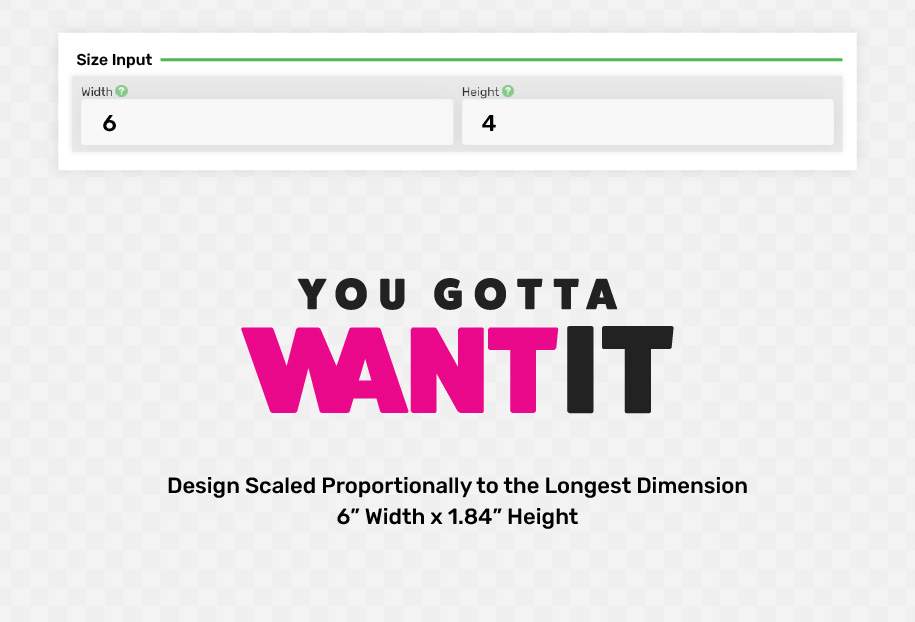
If the aspect ratio of your uploaded design does not match the dimensions you entered, we need to scale the image proportionally to avoid distortion.
For example, if you order a design with dimensions 16″ width x 12″ height but upload an image with different proportions, we will scale the longest dimension first. If the longest dimension is the width at 16″, the height will be adjusted proportionally to maintain the aspect ratio. In some cases, this may result in a height of only 9.5″, which is significantly less than the 12″ height you specified.
WHY WE DON’T FORCE DIMENSIONS
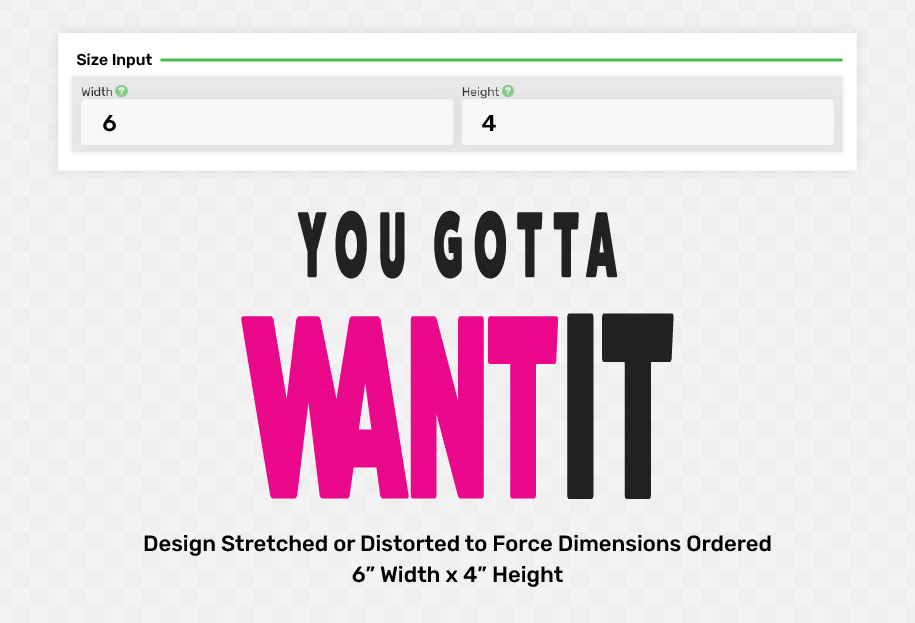
Forcing your design to match the exact dimensions you input would distort the image, compromising its visual quality and potentially violating branding guidelines. This distortion can stretch or squash your design, leading to a final product that does not meet your expectations.
Your Options
We understand that size discrepancies can be frustrating, and we offer several options to help you achieve the best possible result. This applies to custom shapes, transfer stickers, or general signage type products.
Proceed with Proportional Scaling:
- Accept the design scaled proportionally to the longest dimension.
- Receive a partial refund for the updated, smaller size.
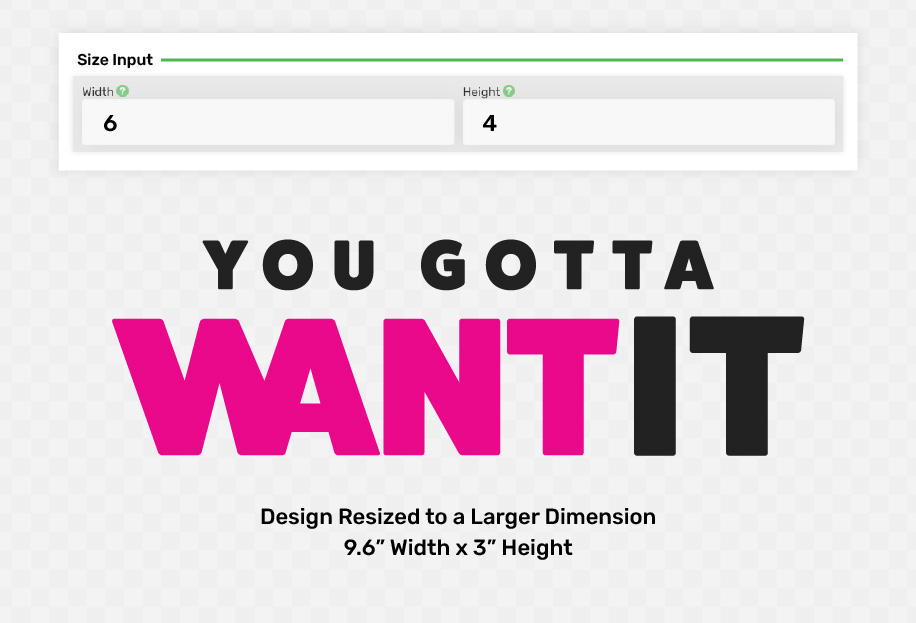
Resize to a Larger Dimension:
- Adjust the design to a larger size that is closer to the smallest dimension you input.
- This may be close to the same price or may require additional payment.
- Ensure that you remeasure your installation area to confirm it can accommodate the new size.
Force the Dimensions:
- Choose to force or stretch the design to match the exact dimensions you ordered.
- Be aware that this will distort the design and may affect its visual quality.
- Sometimes not allowed for certain branding requirements or guidelines.
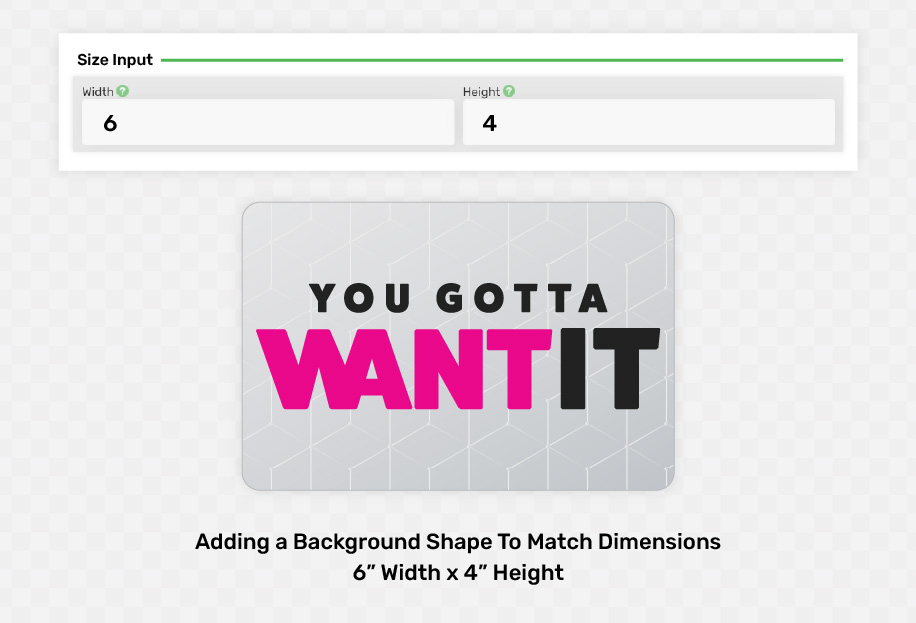
Add or Increase Background Color/Shape:
- Add or increase a background color or shape to your design to fill the dimensions ordered while keeping the graphic or logo proportional.
- Fill background with a color, pattern, or image.
- Shape can be hard or rounded corner rectangle or even custom shape.
- This can be helpful if you need to fill or cover up an area where you’re installing but want to maintain the design proportions.
Conclusion
We are committed to delivering high-quality products that meet your needs. By understanding aspect ratios and how we scale your designs, you can make informed decisions about your order. If you have any questions or need assistance with your design, please contact our customer support team.
- Read the Full Article
- Knowledge Base (all articles)